 Surf Point a.s.
GastroKiosk system
GastroKiosk system
Core of the system solution is so called back-end which is installed on the designated running server. It enables configuration of the whole system and provides its content administration, which will be displayed on the self-service kiosk to customers for processing and payment of their order.
 Only authorized staff members for system
administration have access to this part of the system. Their access is
protected by login name and password.
Only authorized staff members for system
administration have access to this part of the system. Their access is
protected by login name and password.Through agreed communication procedures, the back-end system collects basic information about menu from catering system of the operator, at least in the following range: item code, item name in official invoice form, tax rate and unit price. Update of the item list from catering system can run automatically in set up intervals or as required by servicing staff. If there are changes in the list of items, servicing staff will be informed.
Each item can have the following information added:
- -
product picture of specific
item
- -
list of all allergens
that product contains (form the list of allergens)
- -
assign item to the
item category as selected from predefined list of categories (e.g. soups, main,
sides, drinks…)
- - assign specific group features to the item from predefined list of groups (e.g. meat or vegetarian meals, spirits, soft drinks…)
- - quantity and unit of measure
- -
complete item name
that is used in standard menu for customers (meal menu, drinks menu,
noticeboards…)
- -
detailed product
description that should help customers describe offered product similarly as it
is listed in standard menu for customers (meal and drinks menu, noticeboards…)
For sale enhancement, the system has built in so called up-selling in its core that means that each item can have assigned product category that will be presented to the item as follows:
- -
item category by meal
or drinks menu which should be offered with the item at the same time –
additional side dish (for example when selecting a main dish, also side dishes
will be displayed at the same time, or when selecting a coffee, also dessert
menu will be displayed and so on)
- -
item category by meal
or drinks menu which should be offered to customer when adding item to the
basket (for example when ordering a soup, also main dishes are offered or when
ordering a coffee with dessert, also soft drinks are offered at the same time
and so on)
Display of each item can be allowed / blocked on the
ordering system of the kiosk in case that the specific item is temporarily
unavailable.

Back-end part of the system enables adding or deleting language mutations and place text translations to all language mutations as required.

For customer order processing is used so called
front-end part of the system which takes over all product information by core
system configuration – back-end. It’s based on self-service kiosk with 32”
touchscreen which has equipment for non-cash payment, a printer of tax receipts
with connection to electronic evidence of sales (in Slovakia eTill, in Czech
Republic EET).
Additional equipment can be a bar code and QR code
reader for data gathering from various coupons or contactless card reader which
enables data collecting from contactless loyalty cards and connection of the
system to these loyalty programs.
We recommend for kiosk to have also a distance
sensor. The distance sensor detects person presence in front of the kiosk and
in case they move away from kiosk, it guarantees automatic cancellation of an
unfinished order and return to the main menu. It prevents from “unwanted
purchases” for next customers. Kiosk can have also module for cash payments
added.
Customers via touchscreen choose from menu by configuration in core of the system. After requested product category is selected (e.g. soups, main meals, desserts, drinks…), the product menu which is assigned to the relevant category will be displayed. For order creation, customer adds individual requested products to the shopping basket.
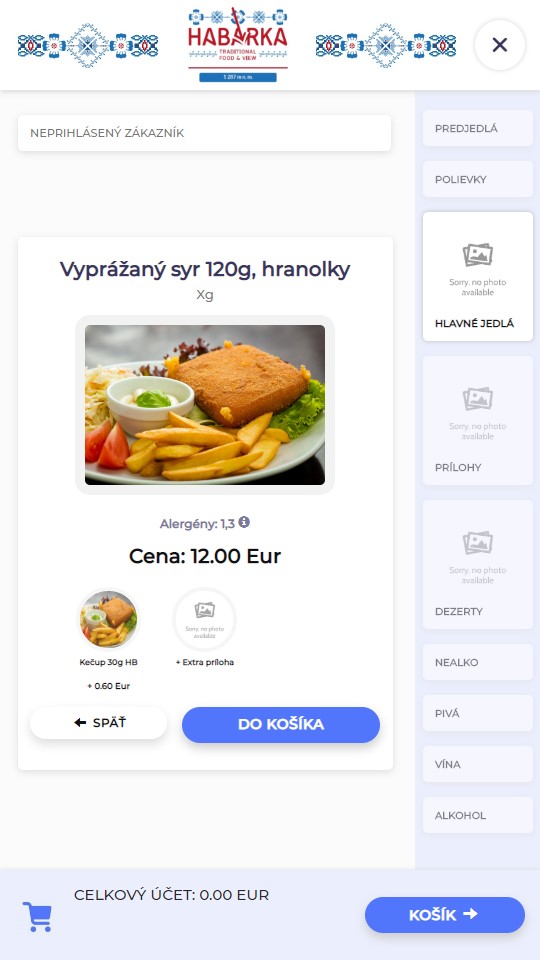
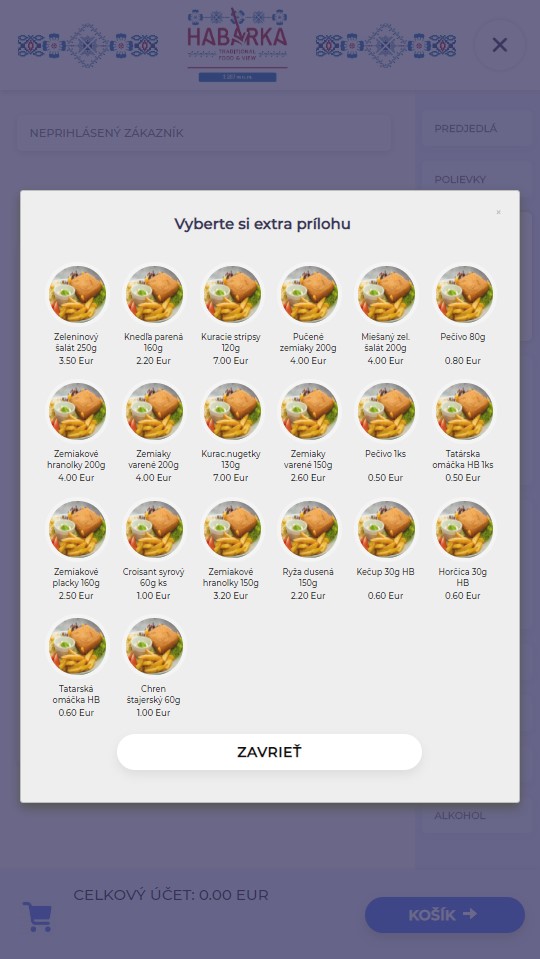
As set-up in the core system, up-selling will ensure that if there is an item category assigned to the selected item as “additional side” in the core system, items from this category are displayed to customer at the same time as information about selected product.
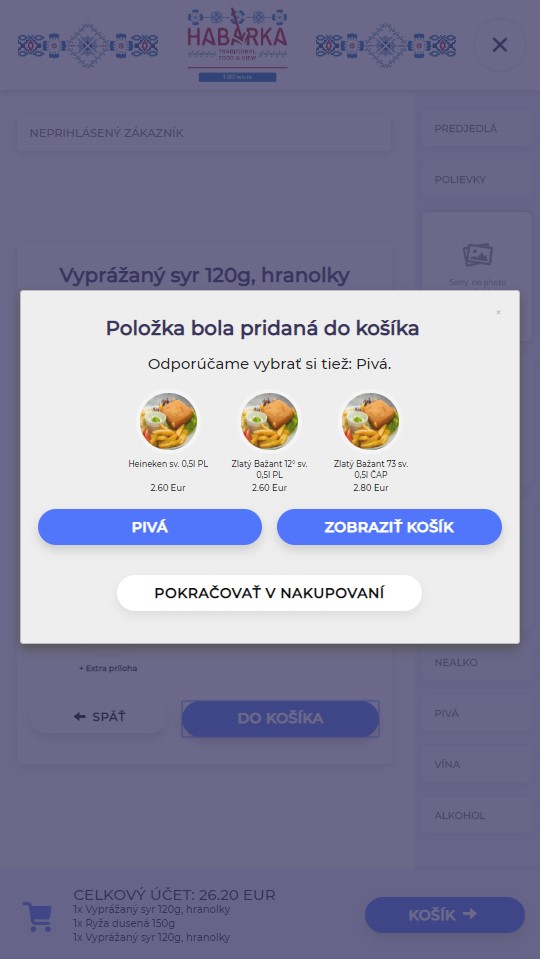
When adding item to the shopping basket, up-selling ensures that customer will get the product category which was assigned to the item as “offer this category”.
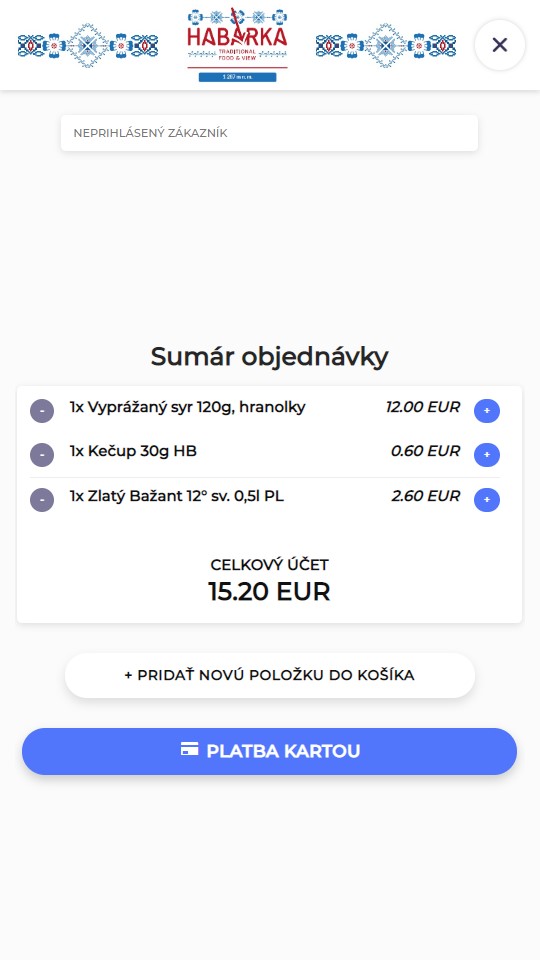
During whole order preparation, customer can see content of their shopping basket.
Before order is finished and paid for, customer will see the list of all items from the shopping basket. After payment is processed, they will receive a payment receipt (tax receipt) with the sequence number of their order.
When payment is processed, all information about this order will be sent to the catering system via communication protocols and processing of order continues similarly as if the customer would order at the counter.
This system helps to improve standard of offered services and reduce demands on personnel. Non-cash system minimizes burden linked to cash handling (getting change, taking coins to the bank, safe transport of cash in case of large sum of money…). And in case of using cash module, it minimizes number of people involved with cash.
Part of the system can be also a module for management and administration of marketing content displayed on the screen of the self-service kiosk at time when it´s not actively used by customers. This way, the operator can display on kiosk different commercials for their products. This commercial space can be also offered to the third party for a fee (for example service providers in area – taxi, shops, hotels…), which will help to speed up return of investment to this system.
Implementation example:
Tatry mountain resorts